
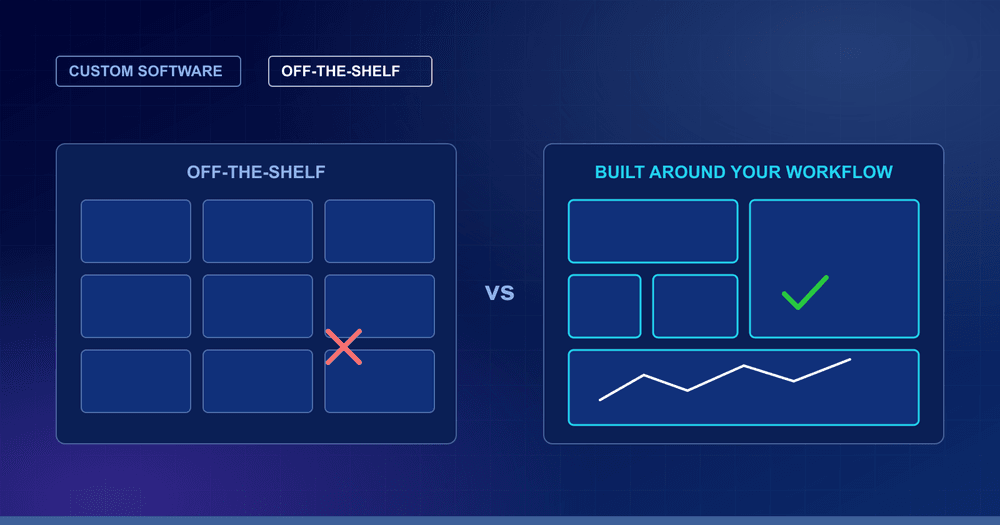
Every growing business reaches the same decision: buy a ready-made software product, or build software around how you actually work. Neither is always right. This guide explains when each one makes sense, how to compare the real cost, and what to check before you commit.
1) Start with the process, not the software
The most useful question is not “custom or off-the-shelf?” but “is this process the same as everyone else’s, or is it how we are different?”
- Standard processes such as basic accounting, email or payroll work the same way in most companies. A ready-made product is usually the sensible choice.
- Specific processes such as your own stages and approvals, your machines and data, or your reporting are where generic tools start to fight your team.
2) When off-the-shelf software is the right choice
- Your process is standard and the product already fits it.
- You need to start quickly, with little time for a project.
- The budget is small and the team is small.
- The product is mature and many other companies already use it.
- The process is not what makes your business different.
3) When custom software is the right choice
- Your workflow is specific: you keep bending your process to suit the tool, or keep a spreadsheet beside it.
- Data is spread across many places: email, Excel and several systems that do not talk to each other.
- You need to connect your own equipment or systems, such as machines, sensors, IoT devices or in-house software.
- Hosting and data rules matter: you need your own servers, or a specific cloud, for compliance or control.
- Per-user pricing hurts: licence cost grows with every person who needs access.
- The software supports what makes you different: your service, your process or your customer experience.
Quick win: write down every workaround your team uses around your current software, such as extra spreadsheets, copy-pasting between systems and manual reports. Each one is a sign of a gap, and the list shows how big it really is.
4) Compare the real cost, not the first price
Off-the-shelf software looks cheaper at the start and custom software looks more expensive, but the first price is only part of the picture. Compare over several years:
- Off-the-shelf: licences (often per user), add-ons, set-up and training, plus the time your team spends on workarounds and manual reports.
- Custom: the build, then hosting, support and the changes you ask for as the business grows.
The cheaper option depends on how well the product fits your process and how long you will use it.
5) The middle path: buy the common parts, build the rest
It does not have to be all or nothing. Many companies keep ready-made products for standard work and build custom software only where their process is specific. Custom applications can connect to your existing tools through APIs, so the two work together instead of replacing each other.
6) Checklist: deciding between custom and off-the-shelf
- Can we describe the process clearly, with its stages, owners and approvals?
- Does any ready-made product fit at least most of it, without workarounds?
- How many workarounds and spreadsheets do we run beside the current tool?
- Do we need to connect machines, devices or our own systems?
- Do we have rules about where data is hosted and who can access it?
- What will it cost over three to five years, including licences, support and workarounds?
- Who in our company will own the software after it is built?
7) Common pitfalls when building custom software
- Starting with vague requirements: if the process is not written down, the software cannot follow it.
- Trying to build everything at once: a first version that covers one painful workflow is easier to finish and to learn from.
- No owner on your side: someone in your team must decide what the software should do.
- Forgetting maintenance: software needs hosting, support and updates after launch.
- Unclear data and hosting decisions: decide early where the data lives and who can access it.
- Choosing a stack nobody can maintain: use mainstream tools, so other developers can work on it later.
8) How to start without a big project
- Pick one painful workflow and map it: who does what, in which order, with which data.
- Build a small first version that your team can use within weeks, not a long wish list.
- Use it, then improve it: add the next feature based on what the team actually asks for.
Talk to us about custom software
Kelectron builds custom business applications, customer and admin portals, real-time dashboards, e-commerce stores and content management systems, mainly with Python and Django and React, hosted on AWS, Azure, DigitalOcean or your own servers. If you are weighing custom software against a ready-made product, describe the process you want to improve and we will give you an honest view, including when a ready-made product is the better choice. See our web application and custom software service or contact us.
Common questions
What is custom software?
Custom software is built around how your business works, instead of adapting your business to a ready-made product. It follows your own stages, approvals, data and terminology.
When is off-the-shelf software the better choice?
When your process is standard and a mature product already fits it, when you need to start quickly, and when the budget or team is small. In those cases a ready-made product is usually the sensible choice.
Is custom software more expensive than off-the-shelf?
The first cost is usually higher, but the fair comparison is over several years. Off-the-shelf adds licences, often per user, add-ons and the time spent on workarounds; custom adds the build, hosting, support and later changes. The better value depends on how well a product fits your process.
Can custom software work alongside our existing tools?
Yes. Custom applications can connect to your existing systems through APIs, so you can keep ready-made products for standard work and build custom software only where your process is specific.
What kind of custom software does Kelectron build?
Custom business applications, customer and admin portals, real-time dashboards, e-commerce stores and content management systems, built mainly with Python and Django and React or HTML5, and hosted on AWS, Azure, DigitalOcean or your own servers.